Before your first lesson
Welcome to Advaita
Advaita is your AI Maths & Science tutor for Class 9 and 10. Your teacher is Arjun Sir — he talks, writes, and draws on one glowing board in sync with his voice, just like a real teacher at a blackboard. You can stop him and ask a doubt at any moment. This page uses real screenshots from the app, with numbered labels, so you can match what you read to what's on your own screen.
Create your account
Open the link your school/teacher shared (or advaitalearn.com), then tap Create an account.
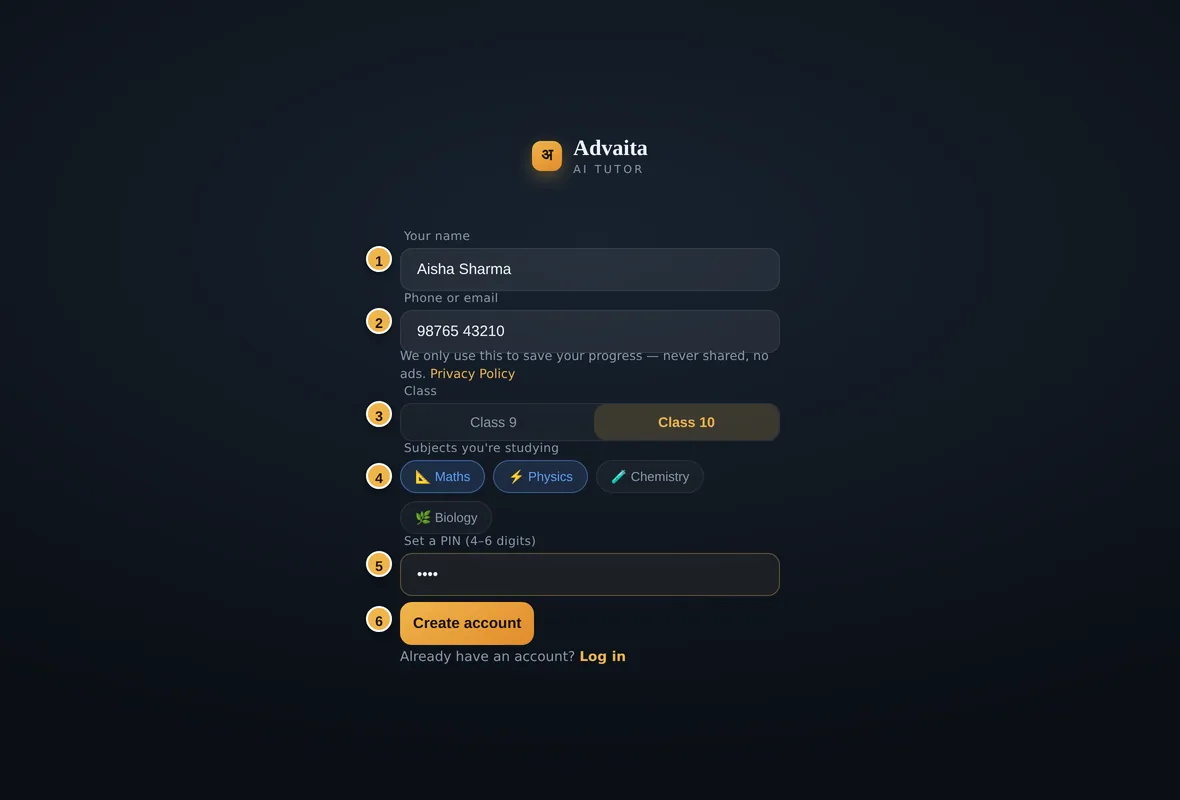
- 1Your name — so Arjun Sir can greet you by name.
- 2Phone or email — only used to save your progress, never shown to anyone else.
- 3Class — 9 or 10.
- 4Your subjects — tap every one you're studying.
- 5PIN (4–6 digits) — like a lock-screen code. Remember it; you'll use it to log in every time.
- 6Create account — tap it and you're in.
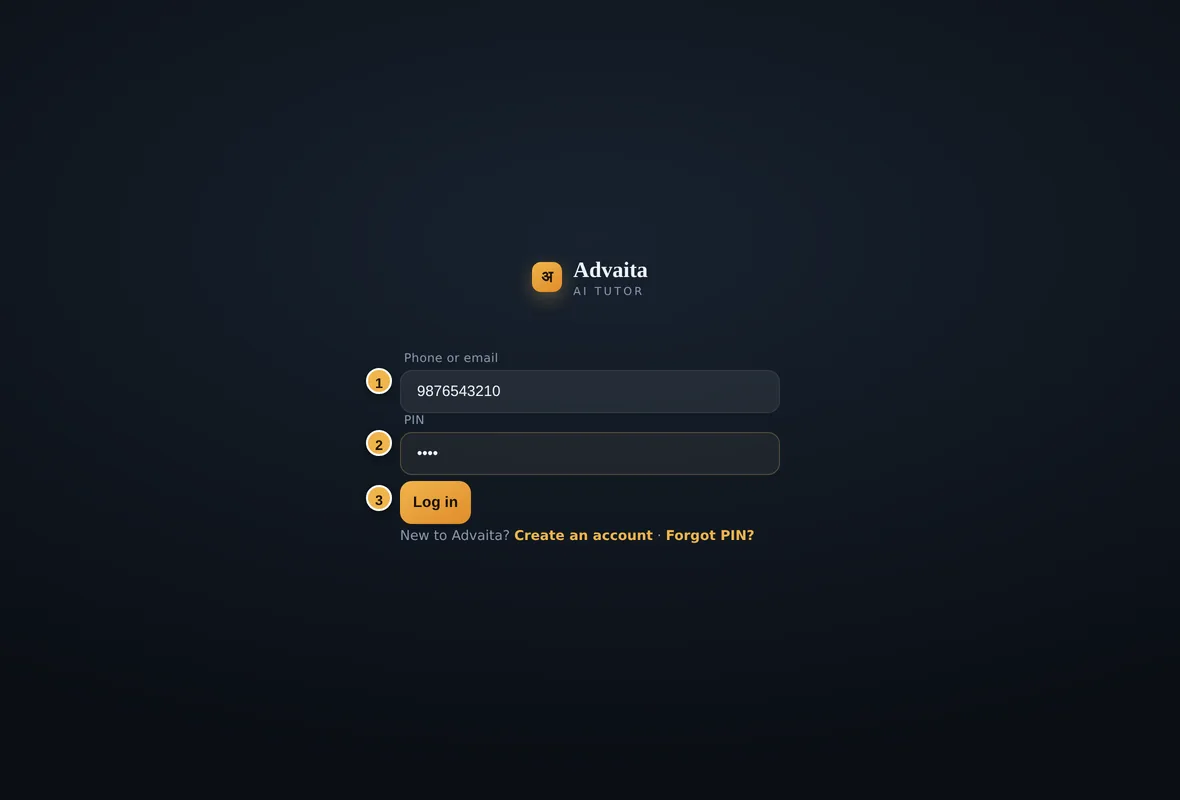
Your Home screen
This is where you land every time you log in.
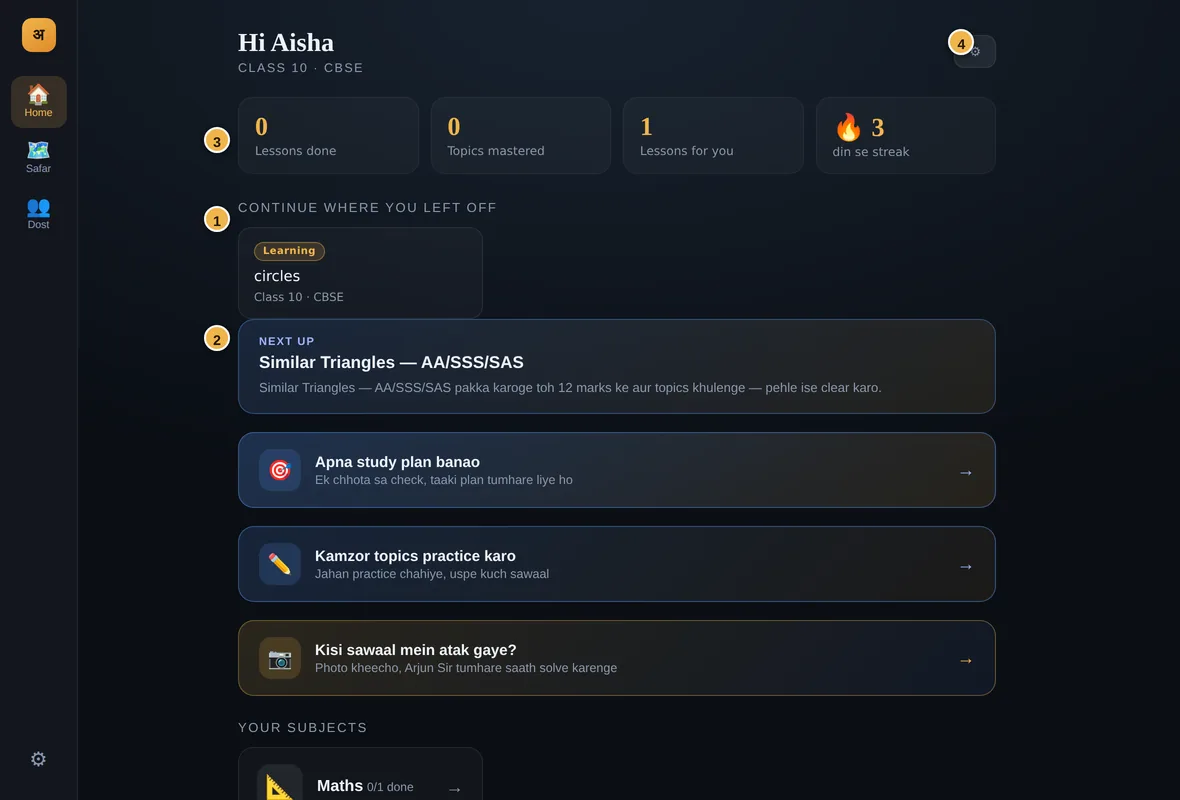
- 1Continue where you left off — jump straight back into a lesson mid-way through.
- 2Next up — the lesson picked for you to study next.
- 3🔥 Streak — how many days in a row you've studied. Don't break the chain!
- 4Settings — language, theme, and your Friend code.
The bottom navigation bar
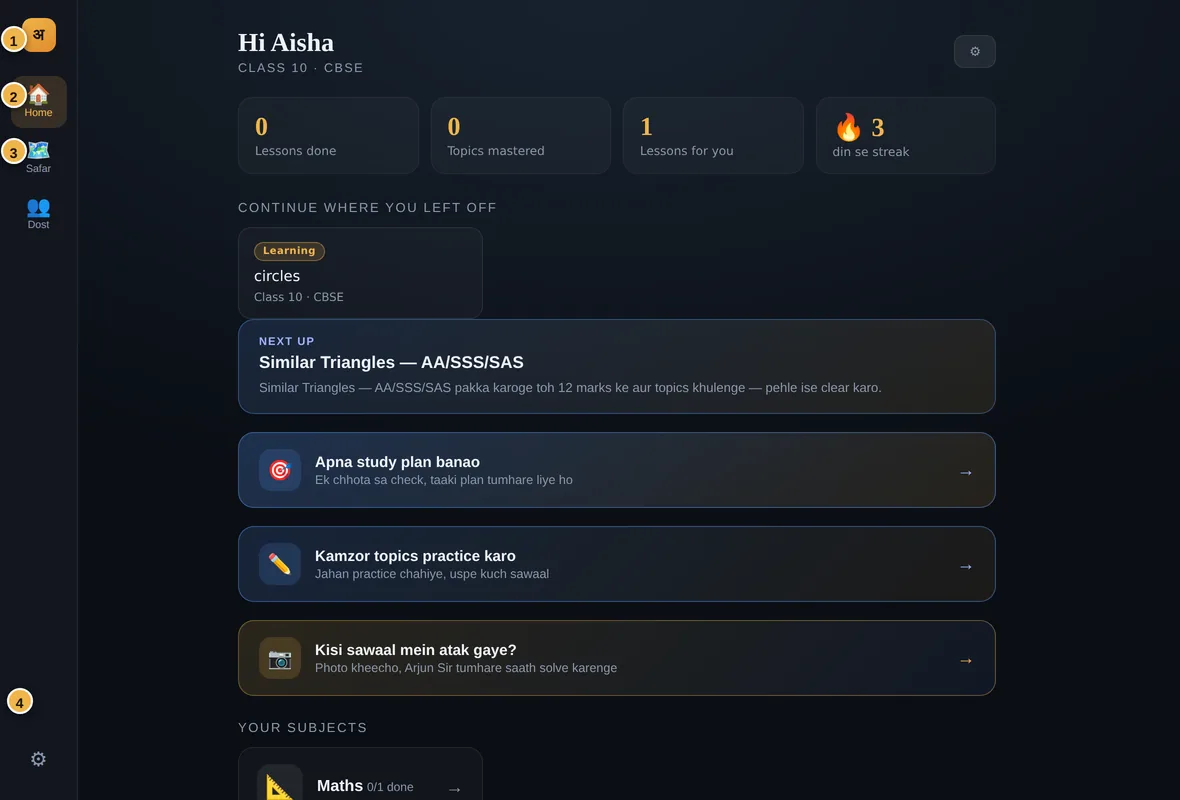
- 1Home — this dashboard.
- 2Safar (Journey) — your progress map across chapters.
- 3Dost (Friends) — your friend code and friends' progress.
- 4Settings — the gear icon at the bottom.
Starting a lesson & meeting the Board
Tap any topic to begin. You'll land on the Board — one screen where Arjun Sir teaches out loud while writing and drawing at the same time.
While he's teaching, there's nothing you need to click — just watch, listen, and think along. The handwriting appears exactly as fast as he's speaking, and diagrams build up piece by piece as he explains them.
While a lesson is playing
A row of controls sits at the bottom of the Board — here's what each one does.
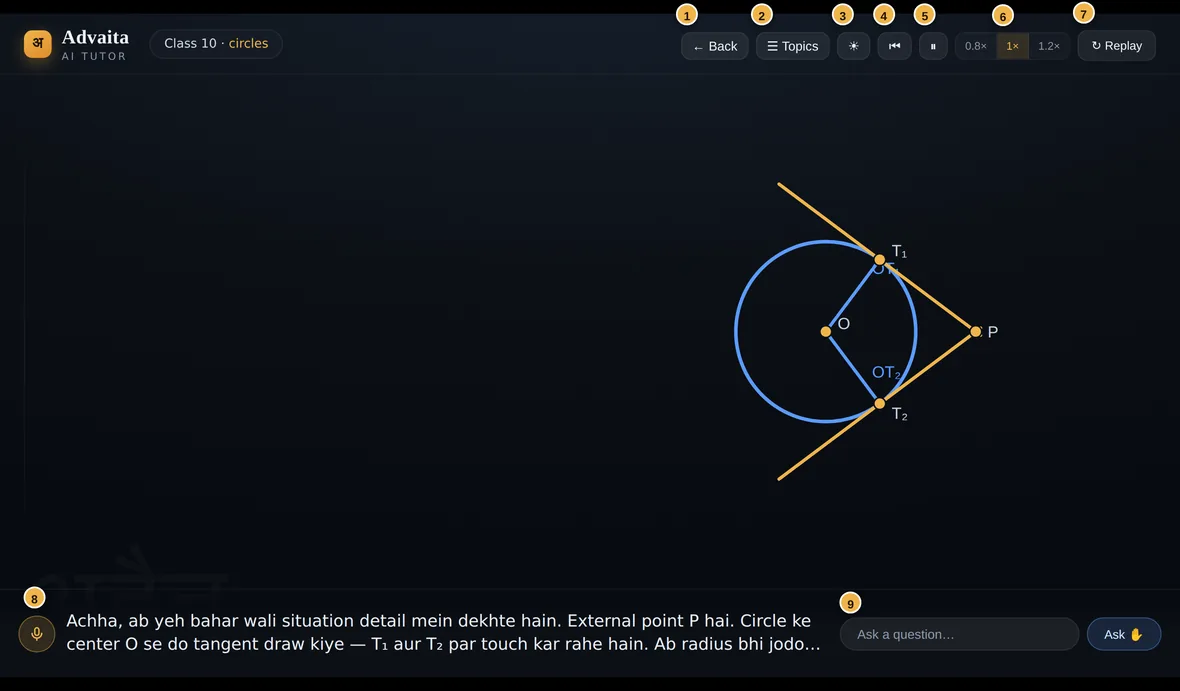
- 1← Back — return to Home; your place is saved automatically.
- 2☰ Topics — jump straight to any part of the lesson instead of watching in order.
- 3☀ Theme — flip between dark and light mode for the board.
- 4⏮ Rewind — go back one step if you missed something.
- 5⏸ Pause — freeze the board; the pen and voice both stop, and pick up exactly where you left off.
- 60.8× / 1× / 1.2× — slow down or speed up how fast Arjun Sir talks.
- 7↻ Replay — start the whole lesson over from the beginning.
- 8🎙 Mic — hold it and speak your question out loud.
- 9Ask a question… — or type it here instead. Either way you can interrupt at any point, even mid-sentence — Arjun Sir finishes his thought, answers you, then carries on right where he stopped.
After the lesson
When a lesson ends, you'll see "Shaabaash! Lesson complete" and a short report on how you did.
It highlights what you understood well and what's worth revising. Your parent/guardian may also get a short WhatsApp update on your progress, so they know how you're doing without you having to explain it yourself.
Save Advaita to your Home Screen
Do this once, and Advaita opens like a real app — no browser, no typing the address, just tap the icon. Here's exactly how, on both phones.
On Android (Chrome)
Open advaitalearn.com in Chrome.
Tap the ⋮ menu in the top-right corner.
Tap Add to Home screen (some phones show Install app instead — tap that).
Tap Add (or Install) to confirm.
Find the Advaita icon on your home screen.
On iPhone/iPad (Safari)
Open advaitalearn.com in Safari — this only works in Safari, not Chrome.
Tap the Share icon (a square with an arrow pointing up), in the bar at the bottom (or top) of the screen.
Scroll down the menu and tap Add to Home Screen.
Tap Add in the top-right corner.
Find the Advaita icon on your home screen.
More things you can do
These aren't steps — dip into any of them whenever you like.
Homework Helper
Stuck on a question from your textbook or worksheet? Snap a photo and upload it — Arjun Sir explains how to solve it. Works for Maths, Physics, Chemistry and Biology. Your photo is never saved — it's used once, then deleted.
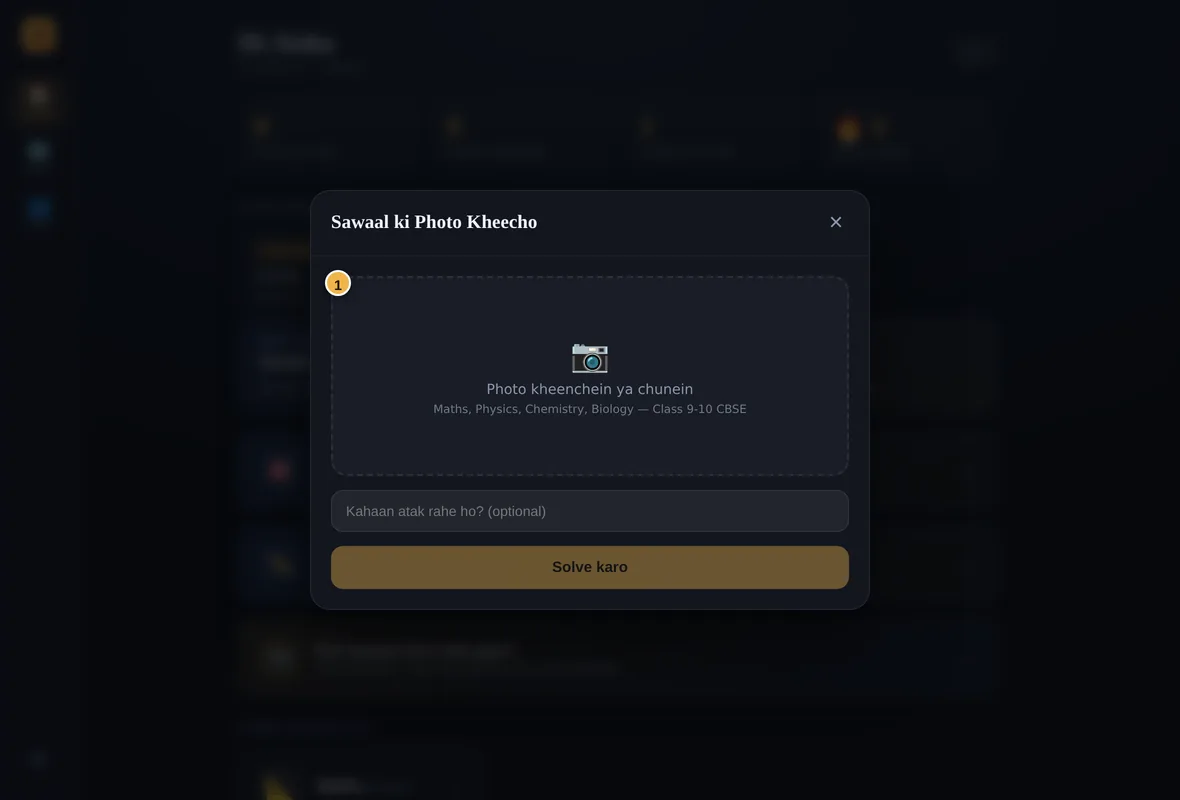
- 1Drop your photo here — or tap to choose one from your gallery.
Journey
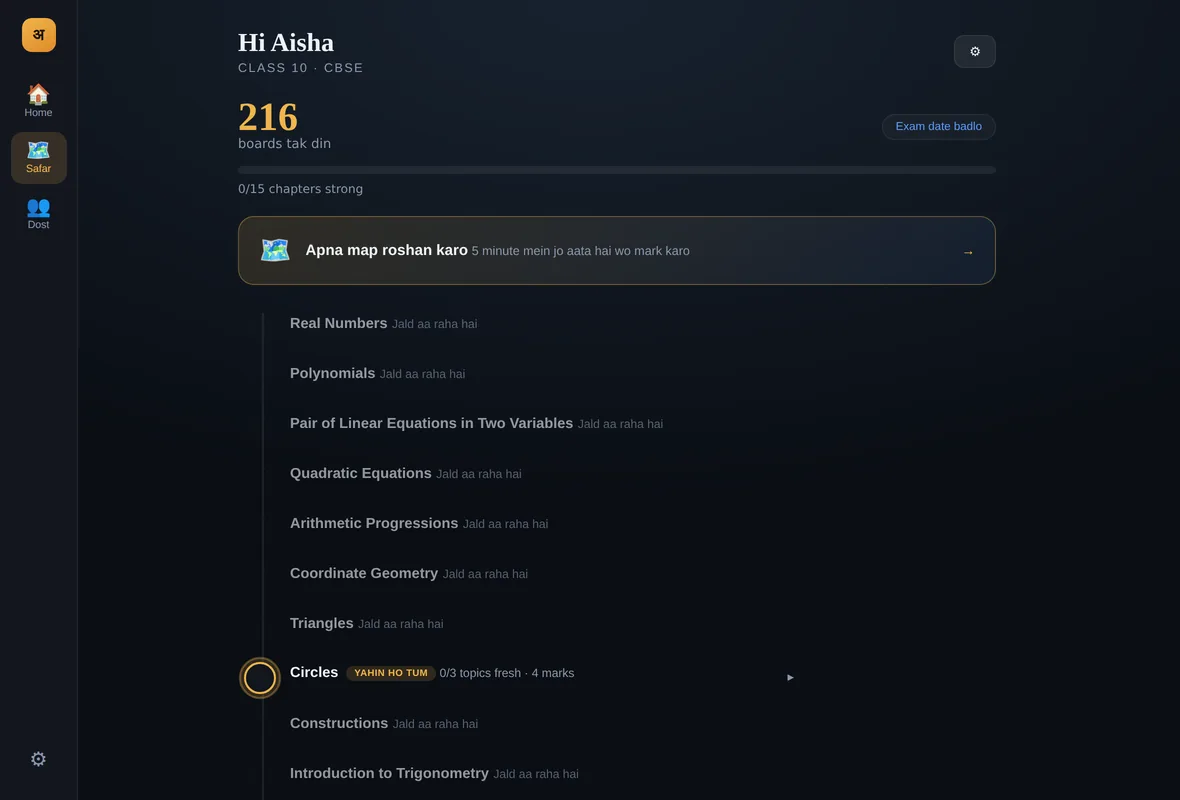
Your personal progress map — see which chapters you're strong in, which ones are fading and need a revisit, and how many weeks are left before your exam. "Yahin ho tum" marks exactly where you are on the path.
Friends
You get your own code to share with a real friend. Add theirs the same way, and you can see each other's journeys — a bit of friendly competition helps.
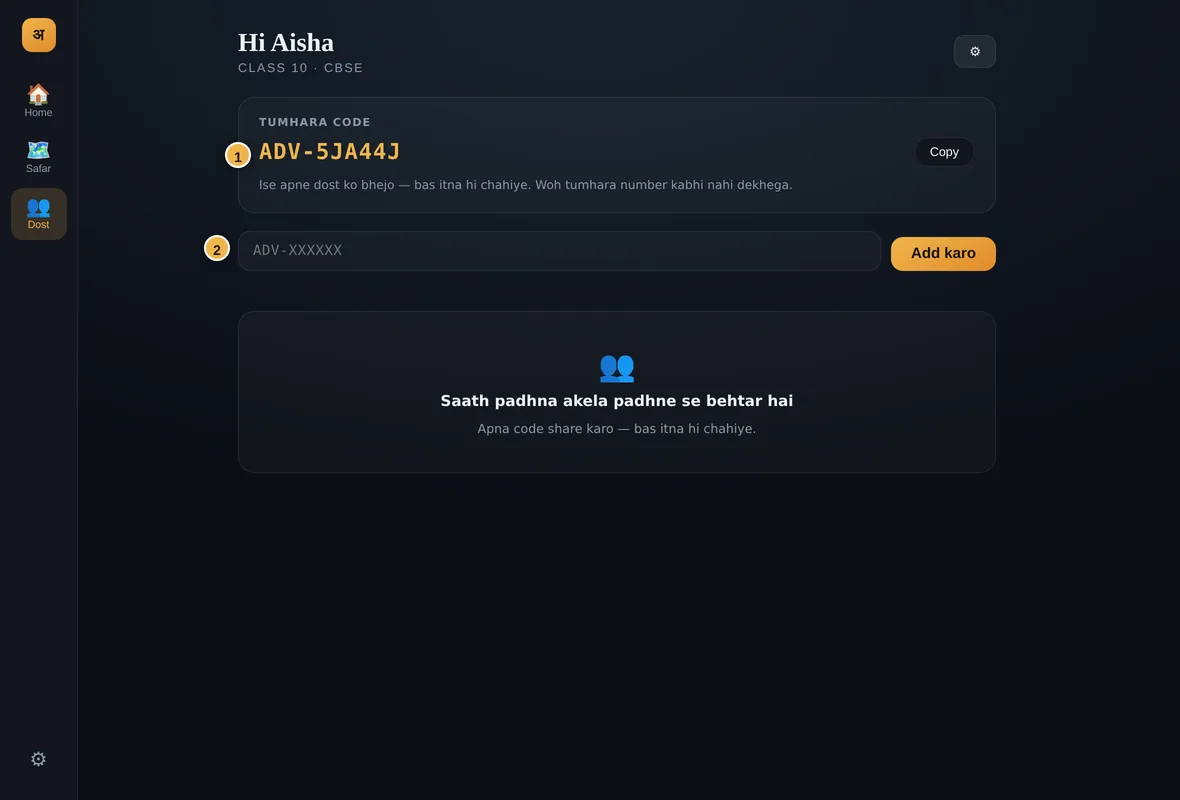
- 1Your code — share this; your friend never sees your phone number.
- 2Add a friend — type their code here.
Settings
Switch your lesson language, swap dark/light theme, and find your Friend code, all in one place.
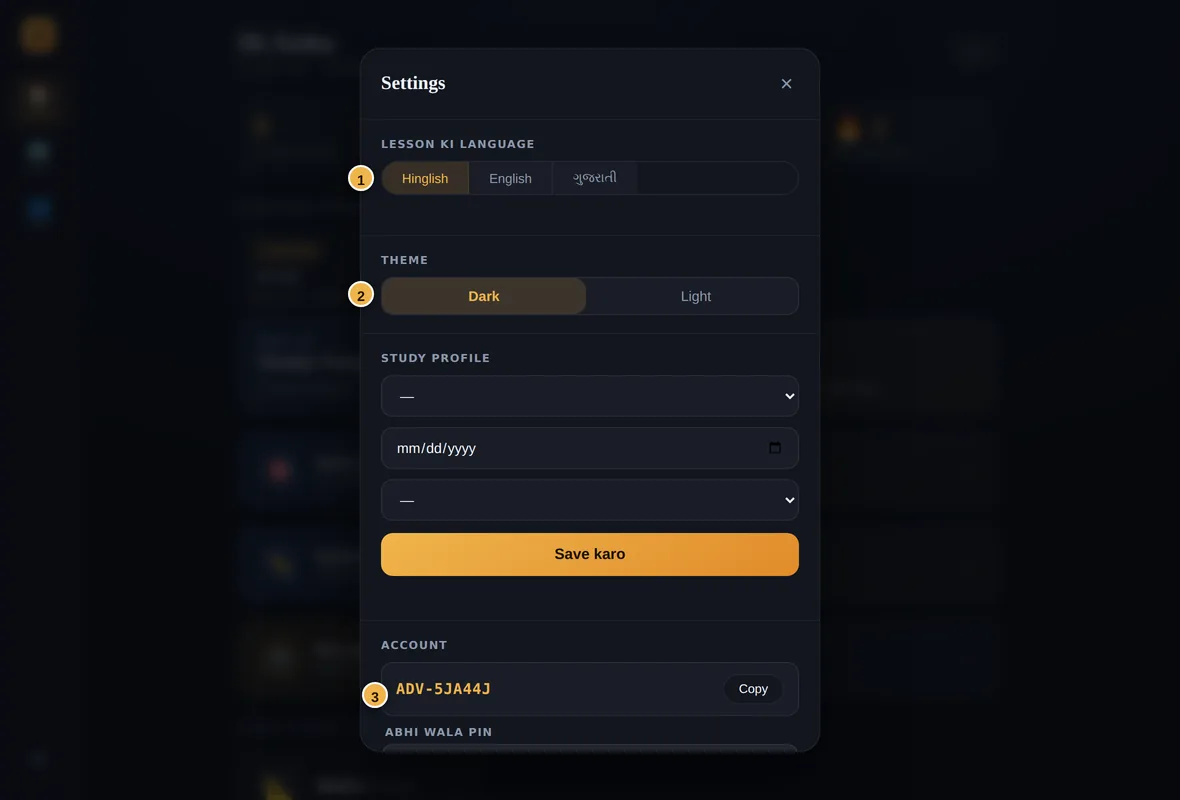
- 1Lesson language — Hinglish, English or ગુજરાતી.
- 2Theme — Dark or Light.
- 3Your Friend code — same one shown on the Friends tab.
Quick tips
- 🎧Use headphones in a quiet spot — it makes the voice clearer and the mic hear you better when you ask something.
- ⌨️Mic not working? You can always type your question in the box instead — it works exactly the same way.
- 🎯Don't skip the question moments — they're what makes your Journey map an honest picture of what you actually know.
- 🔒Keep your PIN to yourself — one account per student keeps your own progress accurate.
- ↺Something stuck? Tap ← Back and open the lesson again — you'll resume exactly where you left off.